You need to test, we're here to help.

You need to test, we're here to help.
Showing posts with label HDO. Show all posts

08 June 2020

Charting High-Resolution Oscilloscope Performance


Eric Bogatin, Signal Integrity Evangelist, Teledyne LeCroy

Signal measured by 8-bit and 12-bit oscilloscope.
Figure 1. 8-bit vs. 12-bit oscilloscope waveforms.
There are hundreds of different oscilloscope models from a dozen different vendors. How do you make sense of all of their different features to pick the one instrument right for your application?  Here is a simple way of comparing high-resolution oscilloscopes.

High-resolution usually refers to the vertical resolution, the quantization of a waveform into a fixed number of vertical levels measured by the oscilloscope's Analog-to-Digital Converter (ADC). The more bits of vertical resolution, the more levels and the more detailed the waveform rendered. The earliest digital storage oscilloscopes (DSO) started as 8-bit resolution, or 256 vertical levels. But in the last ten years, as ADC chip technology got faster, higher resolution appeared in the industry, pioneered by Teledyne LeCroy.  Now, many oscilloscopes come with 10-bit and 12-bit vertical resolution. Why would you want higher resolution? The answer: the ability to see lower level signals and better dynamic range. An example of the difference between the same signal measured with an 8-bit and 12-bit oscilloscope is shown in Figure 1. 

25 March 2019

The Resolution Revolution In Oscilloscopes

Figure 1: Teledyne LeCroy's WavePro HD exemplifies today's high-resolution, high-bandwidth instruments
Figure 1: Teledyne LeCroy's WavePro HD exemplifies
today's high-resolution, high-bandwidth instruments
Oscilloscopes have been around for a very long time now, and older oscilloscope users will remember the heyday of those analog boat anchors of the '60s and '70s. Many have survived and are still usable if you don't need much bandwidth (and have the means to calibrate them if necessary). I used to scout local hamfests looking for bargains on them. Many techs and engineers cut their teeth on those behemoths. You could learn a lot about design if you poked around inside them, too.

02 May 2018

Acquiring and Characterizing IoT Sensor Signals

IoT devices use many sensors to collect data about their ambient environment
Figure 1: IoT devices use many sensors to collect data
about their ambient environment
If we recall our earlier post with its definition of what constitutes an Internet-of-Things (IoT) device, one of the main functions of such devices is to sense its environment and digitize the collected data. Often, an IoT device uses many sensors to collect information about its environment (Figure 1). Having the ability to capture and analyze signals from numerous sensors simultaneously is critical to ensure proper and optimal functionality of the IoT device's design.

26 January 2018

Getting The Most Out Of Your Oscilloscope: Setup

Choosing a effective sample rate is key to seeing the finer details of a waveform
Figure 1: Choosing a effective sample rate is key
to seeing the finer details of a waveform
Today's real-time digital oscilloscopes are so packed with bells and whistles (or "features," if you prefer) that you can forget how to use many of them. In fact, you might not even realize some exist! But they're all there for a reason, and they're all useful, maybe even more so than you know. To that end, we'll take a tour of a typical Teledyne LeCroy oscilloscope's features and give you some pointers as to how, and when, you can best take advantage of them.

20 June 2017

VIDEOS: Exploring MAUI with OneTouch

MAUI with OneTouch makes child's play of complex oscilloscope operations
Figure 1: MAUI with OneTouch makes
child's play of complex oscilloscope
operations
If a picture is worth a thousand words, how many words is a video worth, even if it's only 10 to 15 seconds long? If the videos in question illustrate how to use Teledyne LeCroy's MAUI with OneTouch next-generation user interface (Figure 1), their value is inestimable. Once you've seen how easy it is to use an oscilloscope with MAUI with OneTouch, you'll know it was time well spent.

14 June 2016

Just the FAQs: Waveform Averaging

The upper grid displays raw samples directly from the ADC; the lower grid displays the average of 1000  acquisitions.
Figure 1: The upper grid displays raw samples directly from
the ADC; the lower grid displays the average of 1000
acquisitions.
If you've poked around the Teledyne LeCroy website, perhaps you've run across the extensive (and growing) collection of test-related tidbits we call our FAQ Knowledgebase. To highlight some of these helpful hints for making better use of your oscilloscopes, protocol analyzers, network analyzers, etc., we'll post some here on the Test Happens blog from time to time.

05 September 2014

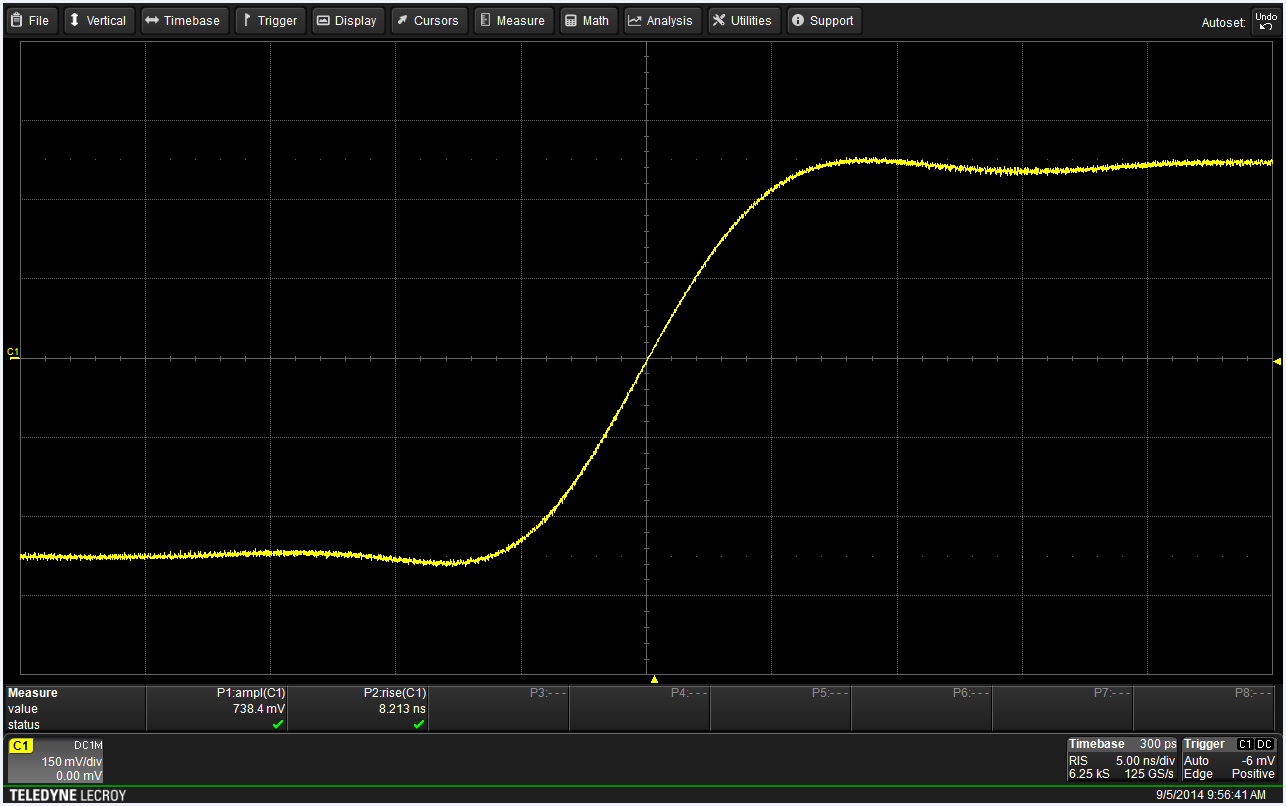
Oscilloscope Basics: Using The Display Graticule

The oscilloscope display graticule
Figure 1: The display graticule, the grid of intersecting lines
overlaying the signal display area, is the original
oscilloscope measurement tool
Today's digital oscilloscopes come packed with an abundance of measurement capabilities, all available at the touch of a button or two. Want to know the amplitude of a square wave? Easy. Want to know the standard deviation of that amplitude? Minimum/maximum or mean? All easily compiled for you over hundreds or thousands of acquisitions.

09 June 2014

Video: Vertical Controls on the HDO Oscilloscopes

Here's another in our continuing series of tutorial videos. This time, we'll review the use of the vertical controls on a Teledyne LeCroy HDO oscilloscope. These controls facilitate positioning and scaling of waveforms vertically on the oscilloscope's display. Note that although we're demonstrating these controls on an HDO, you'd be rather hard pressed to find an oscilloscope from any manufacturer without a volts/div and vertical offset control. Thus, this video is applicable to whatever oscilloscope you have on your bench.

There are quite a few tutorial videos for a broad range of Teledyne LeCroy products on our YouTube channel. Head on over whenever you need a refresher!


29 January 2014

Tips and Tricks: Stabilizing a Waveform Trace

One initial challenge to oscilloscope users is achieving a stable display of an input waveform. In almost all cases, the Auto Setup button on Teledyne LeCroy oscilloscopes (and most other modern instruments) will automatically set the oscilloscope's triggering system to get that jumpy trace to settle down.

27 November 2013

Video: Zooming In On Waveforms

Many modern oscilloscopes offer the ability to zoom in on select portions of a waveform trace, allowing users a much more detailed look at whatever anomalies may (or may not) be present. Zooming is a handy feature on any oscilloscope, but it's even handier if you happen to be using a Teledyne LeCroy HDO. These instruments bring 12 bits of vertical resolution to the table for even more detail and cleaner, crisper waveforms than any legacy 8-bit oscilloscope.

So, without further delay, here's a short tutorial video on how to implement zoom traces on an HDO.


30 October 2013

Oscilloscope Basics: Controlling an Oscilloscope (Part II)

An example of a touch screen-equipped oscilloscope.
Figure 1: An example of a
touch screen-equipped
oscilloscope.
In a recent post, we discussed how to control a modern digital oscilloscope using the front-panel controls. That was a natural place to begin, given that it's the "traditional" means of controlling the instrument and the one that most seasoned users cut their teeth on. But there's more than one way to skin this cat these days. Many of today's oscilloscopes carry touch screens that do everything the front-panel controls can do, plus some things they cannot do.

23 October 2013

Oscilloscope Basics: How to Set Up and Use Cursors

As a follow-up to a recent post with an oscilloscope front-panel tour, we want to dig a little deeper into one aspect of controlling the instrument, and that's how to set up and use cursors. But instead of describing it in prose, it makes more sense to show you. So enjoy this brief tutorial video that will get you started with cursors! We're demonstrating on a Teledyne LeCroy HDO4054, but most of what we're showing you translates to other manufacturer's instruments.

16 October 2013

Going From FFTs to Spectrum Analysis

Spectrum Analyzer software for the HDO series oscilloscopes provides an intuitive user interface
Figure 1: Spectrum Analyzer software for the HDO series
oscilloscopes provides an intuitive user interface
In earlier posts, we looked at a) the basics of fast-Fourier transforms (FFTs) and b) how to set up an FFT on a modern digital oscilloscope. In this post, we'll take a brief look at what that modern scope can do with an FFT, provided that scope is outfitted with software that will let it take full advantage. After all, the object of an FFT is to transform a time-domain waveform into the frequency domain. Sounds kind of like a spectrum analyzer, no?

02 October 2013

Oscilloscope Basics: Controlling An Oscilloscope (Part I)

Front of HDO6054 oscilloscope
Figure 1: Front of HDO4054 oscilloscope
At first glance, the front of today's oscilloscopes can be daunting. For starters, there's an array of physical "hard" controls. Relatively recent models may also sport touch screen displays with so-called "soft" controls. For one thing, getting familiar with the front of these instruments is only a matter of experimentation and common sense. And for another, what at first may seem complex is carefully designed to make the instrument as easy to operate as possible. This is the first installment of a projected series of posts that will explain how to control a modern oscilloscope. Here, we'll start with the front panel.

10 September 2013

Don't Just Trigger, But Trigger Smart

The runt pulse and non-monotonic edge anomalies in this signal are not apparent with a simple edge trigger.
Figure 1: The runt pulse and non-monotonic edge anomalies
in this signal are not apparent with a simple edge trigger.
In an earlier post, we looked at some of the basics of oscilloscope triggering and noted that there are two broad classes of triggers: simple triggers that sense particular characteristics of the input signal (transition edges, pulse widths, and so on), and more complex triggers that let you zero in on more specific attributes of the signal based on timing and amplitude parameters.

26 June 2013

Back to Basics: Sequence Mode

Figure 1: Sequence mode enables fast trigger rates and optimizes memory usage by ignoring dead time.
Figure 1: Sequence mode enables fast trigger rates
and optimizes memory usage by
ignoring dead time.
Now and again, an oscilloscope user may need to capture either a large number of fast pulses in quick succession, or a small number of events separated by relatively long periods of time. Either of these scenarios are challenging with typical acquisition modes. Fortunately, most modern oscilloscopes offer what we call "sequence mode" (other oscilloscope makers refer to similar acquisition modes as "fast-frame" or "segmented memory" mode).

29 May 2013

An Overview of Oscilloscope Banner Specs

"Banner specs" is a term that oscilloscope makers use often. If you've ever met with one of the vendors' salespeople, you're likely to have heard it. But what are banner specs and what do they mean to you?

17 May 2013

Oscilloscope Basics: Triggering

At some point, it's likely you've had the experience of capturing a waveform on your oscilloscope only to see a wildly unstable trace displayed on the screen. Chances are that you hadn't adjusted the triggering correctly. Let's take a brief look at what triggering is and why it's important in an oscilloscope. Trigger modes determine when the oscilloscope acquires and what is displayed.

05 April 2013

The Making of 12-Bit Scope Hardware

In many applications, the accuracy of a true 12-bit oscilloscope is not only desirable, but necessary. Going forward, this will become the case more and more often. When choosing one, it's a good idea to peek under the covers and gain a little insight into how the instrument operates. Having discussed in an earlier post the advantages of oscilloscopes with 12-bit vertical resolution, let's look at the ways in which that resolution is accomplished in hardware.